
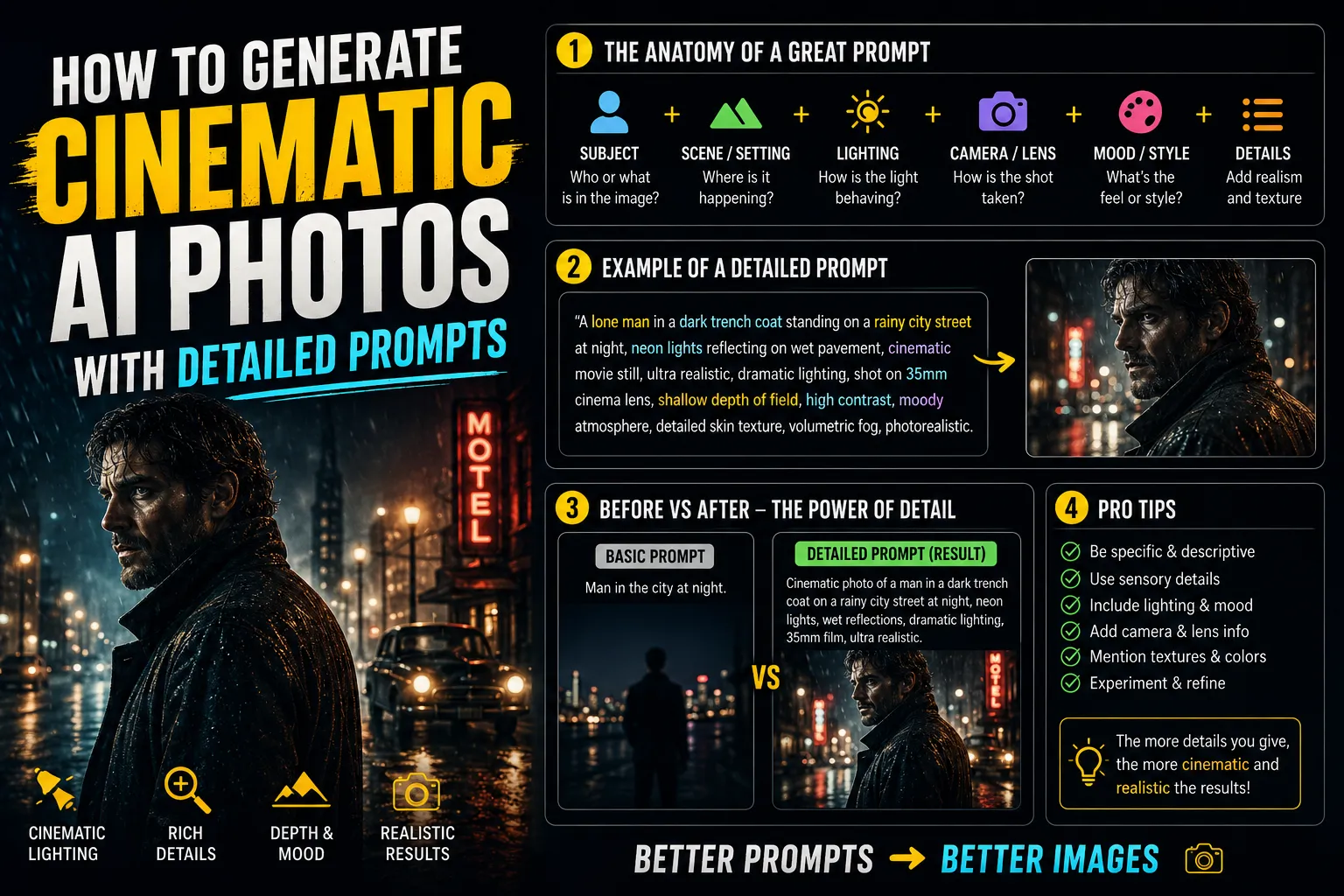
How to Generate Cinematic AI Photos With Detailed Prompts (SEO Guide)
Creating hyper-realistic, high-definition AI images requires more than just typing a basic idea. To achieve true cinematic quality, you need to master advanced prompt engineering, acting almost like a virtual film director. Here is exactly how you can craft the perfect prompt for stunning visual outputs.
The Core Elements of a Cinematic AI Prompt
A highly detailed prompt transforms a flat, generic image into an 8K resolution masterpiece. You must define the camera equipment, the subject's intricate details, and the environmental lighting to get professional results.
Step-by-Step Prompting Techniques
1
Specify Professional Camera Gear and Lenses
AI models understand photography terminology. To get that cinematic depth of field, you should command the AI to replicate high-end camera equipment.
"Shot on an 85mm lens, f/1.8 aperture, 8K resolution, photorealistic textures, highly detailed, ultra-sharp focus, cinematic lighting."
2
Focus on Ultra-Heavy Designer Couture
Never settle for basic or simple attire in your prompts. To make your subject stand out and look premium, instruct the AI to generate complex, encrusted, and highly detailed clothing.
"The model is wearing ultra-heavy designer couture, featuring intricate 3D embellishments, avant-garde traditional festive attire, luxurious fabrics with heavy crystal embroidery, breathtaking haute couture fashion."
3
Enforce Clean and Light Backgrounds
The background dictates the mood of your cinematic shot. Always avoid dark, heavy, or cluttered backgrounds that distract from the main subject. Instead, opt for bright and premium aesthetics.
"Set against a light and airy background, clean and minimal aesthetic, bright natural daylight mixed with soft cinematic studio lights, absolutely no dark themes or heavy shadows."
Basic vs. Cinematic Prompts Comparison
Review the table below to see how adding specific modifiers instantly upgrades your AI-generated photos:
| Prompt Component | Basic Prompt (Avoid) | Advanced Cinematic Prompt (Use) |
|---|---|---|
| Subject Detail | "A woman wearing a simple saree." | "A model wearing ultra-heavy designer couture, 3D embellishments, and avant-garde styling." |
| Environment | "In a dark room." | "Set against a light, airy, and clean background with no dark themes." |
| Technical Quality | "High quality, realistic." | "8K resolution, shot on 85mm lens, photorealistic textures, cinematic lighting." |
QNA (Frequently Asked Questions)
Q: Should I use placeholder file names like "image_1.png" in my text prompts?
A: No, avoid using specific file references or placeholder text within your generated image prompts. Stick purely to descriptive text and technical photography terms so the AI focuses on generating a new image from scratch.
Q: How do I make the clothing look more realistic and premium?
A: Always skip simple designs. Use keywords like "ultra-heavy designer couture," "3D embellishments," and "photorealistic textures" to force the AI to render intricate, high-end fashion details.
Q: Why do my AI images look too dark or muddy?
A: You need to explicitly command the AI regarding the lighting. Specify a "clean, light, and airy background" and command it to use "absolutely no dark themes" to ensure a bright, vibrant, and premium cinematic aesthetic.